
Make arrivals feel like an occasion.
Bring your product images and videos into a layout that reflects the collection. Pair a strong visual with a short message and a clear next step.
Make the shop floor part of your brand story. Lucy is a digital signage app and digital signage management system for composing product content, scheduling campaigns and playing it on your retail displays.
CREATE · MANAGE · SCHEDULE · PLAY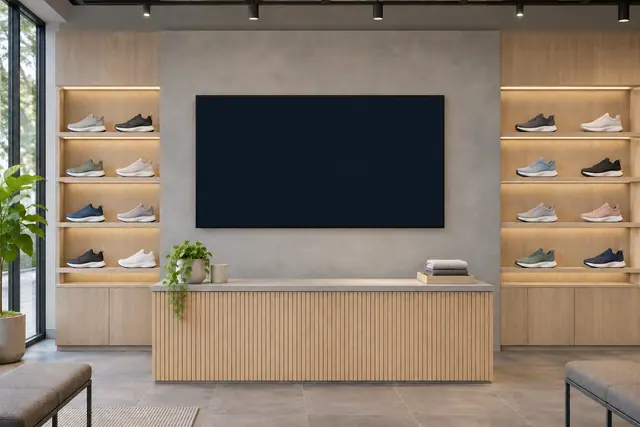
New arrivals, product stories and promotions that fit the rhythm of your shop. Start with the job your screen needs to do, then choose the content and timing to suit it.
Bring your product images and videos into a layout that reflects the collection. Pair a strong visual with a short message and a clear next step.
Organise playlists and schedules around launches and seasonal activity. Offer widgets can carry your own badges, calls to action and date windows.
Add a QR code for a campaign page, product story or your website. Give visitors a way to continue the story on their own device.
Use messages, clocks and tables for store information or event details. Keep your promotional content and practical information within the same visual world.
Here is one example of how your content could change with the day. Select a moment to explore a working Lucy widget with sample content.
Good digital signage starts with useful information and a readable composition. Keep the purpose of each display in view.
Let a product image, headline and next step work together. A clear hierarchy is easier to follow than a screen full of competing offers.
Set the start and expiry of editable offer cards, and choose useful content for the gaps between campaigns.
Bring your photography, video and wording into Lucy. Review how the final composition reads on the display rather than relying on a laptop-sized preview alone.
Lucy is your digital signage app and digital signage management system. Molly is a separate digital signage monitoring system, watching what is happening across your screens.
Meet Molly A DISTINCT ROLE. A WATCHFUL EYE.
Yes. Lucy supports playlists and schedules, while offer widgets can include optional start and expiry dates. You manage the campaign content and its timing.
Yes. Lucy's screen layouts can combine your uploaded media with text, menus and widgets. Compatible video playback depends on the source and player device.
The supported social wall uses posts you manually curate and enter. It is not an automatic social-account feed connection.
The retail solution described here uses content and offers managed in Lucy. Live stock, till and commerce-system integrations are separate requirements.
Bring your retail content together with Lucy, the digital signage app and management system.
Open Lucy